
Home / Blog / What photos should an auto repair shop put on its Google Business Profile?
Listings
What photos should an auto repair shop put on its Google Business Profile?
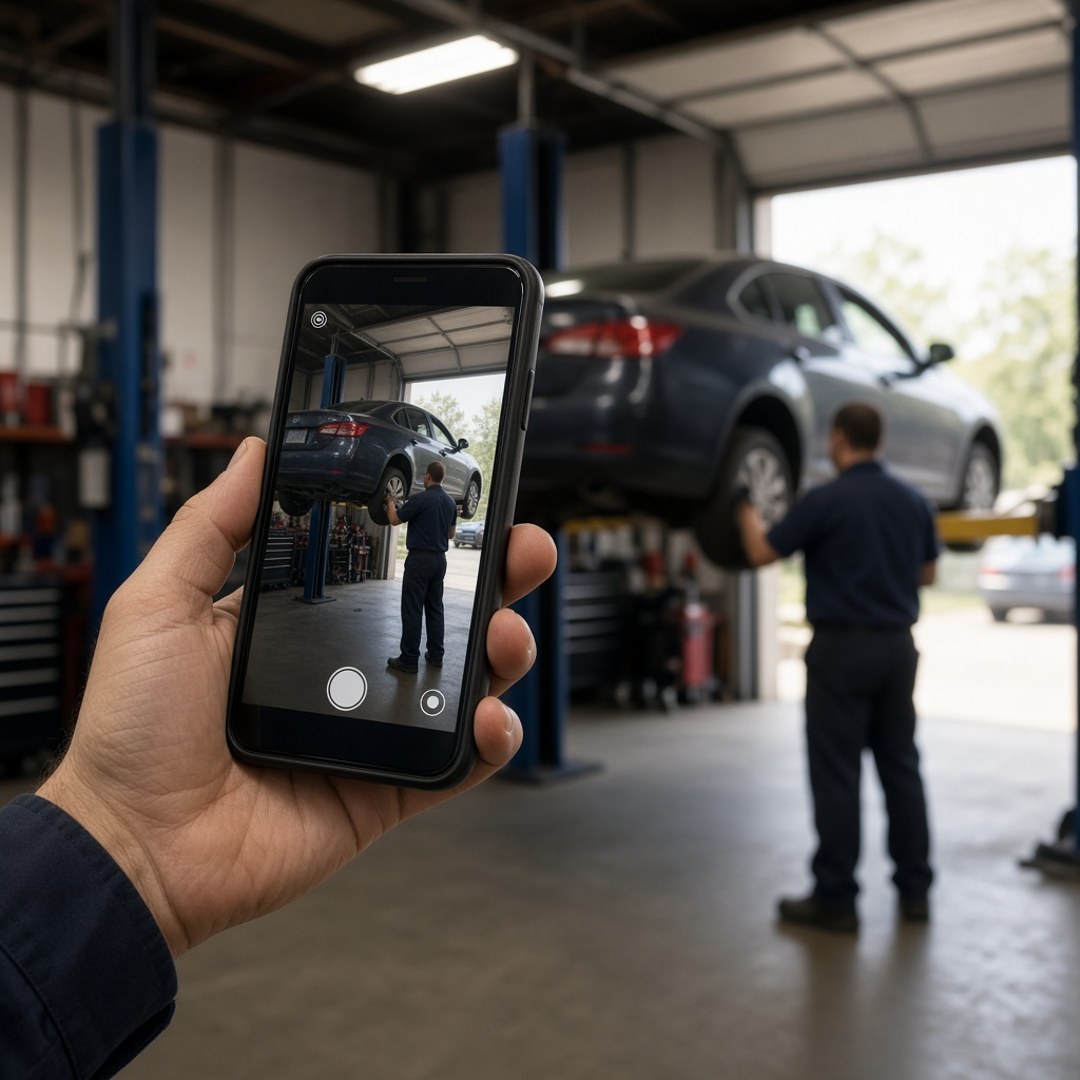
An auto repair shop should put real photos of its own place on its Google Business Profile: the front of the building as a driver sees it from the street, the bays with cars in them, the counter where customers check in, and the people who do the work. Skip stock images and other shops. Make sure the sign in the photos matches the name on the listing.
Key takeaways
- Every photo should show this shop, not a stock garage or a borrowed picture.
- The front from the street helps a driver find the right door on the first try.
- Bays with real work in them show what the shop actually fixes.
- The counter and the people tell a driver who they will talk to at drop-off.
- The sign in the photos should match the name on the listing.
Real photos of this shop belong on the profile
The photos on an auto repair shop's Google Business Profile should all be of that shop. A driver looking at the listing is trying to answer a few quick questions: is this place real, is it open, can I find it, and does it look like somewhere I would leave my car. Photos answer those questions faster than any line of text on the profile.
That means the building, the bays, the counter, and the people. It does not mean stock images of a spotless garage, photos pulled from a supplier's website, or pictures of another location. If the field guide on what to put on an auto repair shop Google Business Profile is the checklist for the listing as a whole, this is the part about what the camera should point at.
The front of the building comes first
The most useful photo on the profile is the front of the shop as a driver sees it from the street. It helps someone pulling in for the first time spot the right building, the right driveway, and the right door. Take it in daylight, from where a car would actually approach, with the sign in the frame.
If the shop sits in a plaza or behind another business, add a second photo that shows how to get to the entrance. A driver who circles the block twice before finding the bays is already annoyed before they reach the counter. One clear shot of the turn in can prevent that.
The bays show what the shop actually does
Photos of the bays with real work in them show a driver what kind of shop this is. A car on a lift, a tech at a wheel, a clean floor with tool chests along the wall: these tell a driver that the shop has the space and the equipment for their job. The cover on this article is the kind of shot that works, taken with a phone during a normal day.
Match the bay photos to the work the shop takes on. If the shop does brakes, suspension, and check engine lights, show that kind of work. Do not post photos of jobs the bays send out, because a driver will see the photo and assume the shop does it. The listing, the services, and the photos should all describe the same shop.
The counter and the people make it feel safe
A photo of the counter or waiting area tells a driver where they will stand when they drop off the car. A photo of the service advisor or a technician at work tells them who they will talk to. Leaving a car with a stranger is a real decision, and seeing the people helps.
Ask before posting anyone's photo, and keep the shots natural. Someone at the counter, a tech under a car, or the team out front of the bays all work. Avoid posed group shots that look like an ad. The goal is to look like the place a driver will actually walk into on Tuesday morning.
Leave off stock images and signs that disagree
Stock images and photos of other shops should stay off the profile. They make the listing look like a template, and a driver who shows up expecting the building in the picture may drive right past the real one. Google's guidelines ask for photos that represent the business as it is.
The sign matters too. If the sign in a photo shows an old name or a name that differs from the listing, a driver may think they have the wrong place, and it can raise questions about whether the listing is accurate. Mismatches like that are part of why profiles get flagged, which the article on why a Google Business Profile gets suspended covers. Leave off blurry or dark shots, overlaid text or prices, and any customer plate, face, or paperwork you do not have permission to show.
Keep the photos current
The photos should still look like the shop today. When the sign changes, the building gets painted, or a new lift goes in, take new photos and remove the ones that no longer match. Customers can also add their own photos, so look through them now and then and report anything that shows a different business or private information.
A light, steady habit works better than one big upload. The guide on how often to update a Google Business Profile covers that rhythm. Photos help a driver choose the shop once they find it, but they do not fix a wrong category, wrong hours, or an unverified profile. Fix those first, then let the photos show the real place.
Questions people ask
What photos should an auto repair shop put on its Google Business Profile?
Put up real photos of this shop. Start with the front of the building from the street, in daylight, so a driver can spot the entrance. Add the bays with cars on the lifts, the counter or waiting area where customers check in, and the people who answer the phone and do the work. Use the shop's logo as the logo, not as a stand-in for a real photo. Skip stock images, photos of other shops, and anything that shows a different name on the sign.
Can a shop use stock photos on its Google profile?
It should not. A stock photo shows a garage that is not yours, and drivers can usually tell. It makes the listing look like a template instead of a real place with real bays. Google's own guidance asks for photos that represent the business as it is, and a picture of somewhere else can confuse a driver who shows up expecting that building. Take the photos yourself with a phone. A plain, honest shot of your bay does more than a polished picture of someone else's.
Should the photos show the sign?
Yes, at least one photo should show the sign clearly from the street, as long as the sign matches the name on the listing. If the sign says one thing and the profile says another, a driver may think they have the wrong place, and the mismatch can also raise questions with Google. If the shop changed names, update the sign and the listing together, then replace any old photos that still show the previous name.
Should the photos show the people who work at the shop?
If the team is comfortable with it, yes. A driver dropping off a car is trusting strangers with something expensive, and seeing the service advisor or a technician at work makes the shop feel like a real place with real people. Ask before you post anyone's photo, and keep it simple. Someone at the counter, a tech under a car, the team in front of the bays. Skip posed shots that look like an ad.
What photos should a shop leave off the profile?
Leave off anything that is not this shop, anything blurry or dark, and anything that shows a customer's plate, face, or paperwork without permission. Skip photos with text, prices, or promotions laid over the picture. Do not post photos of work the bays do not take on, because a driver will assume the shop does it. Old photos that show a previous sign, a different paint color, or equipment that is gone should come down too.
What about photos customers add to the listing?
Customers can add their own photos, and most of them are fine. Look through them now and then. If a customer photo shows a different business, something offensive, or private information, you can report it through Google. You cannot simply delete a photo a customer added, so the best answer is to keep your own set of photos fresh and accurate, so the real shop is what drivers see first.
Do photos help a shop show up higher on Google Maps?
Photos alone will not move a listing up. Where a shop appears depends on things like how close the driver is, whether the category and services match the search, and how complete and trustworthy the profile is. Good photos help a driver choose the shop once they see it, and they make the profile more complete. We do not guarantee a call count, a ranking, or a revenue number. Fix the category, hours, and verification first, then add the photos.

Isaac Donnelson
Isaac Donnelson runs Auto Shop Marketers for auto repair shops. He is the growth partner on the account. He writes about calls, the Google listing, and what a shop actually pays for ads.